Vercel log drains explained
What a Vercel log drain sends, how the x-vercel-verify and x-vercel-signature headers work, and how to point a drain at a log tool in a few minutes.
Sam 5 min read
Updated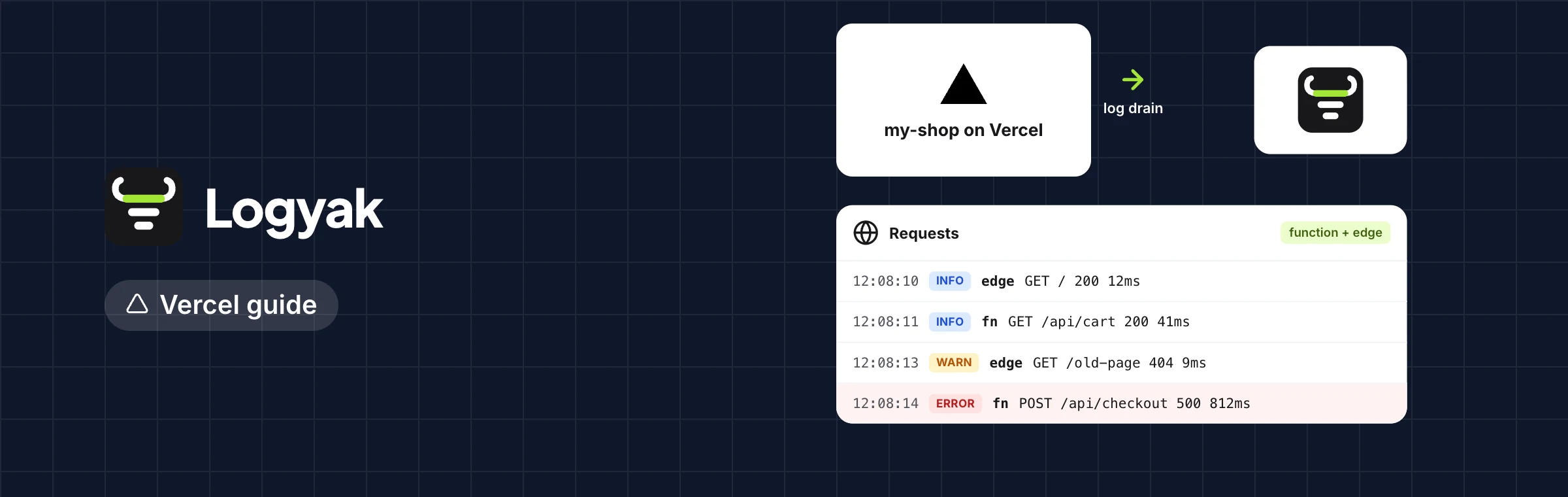
On this page
A Vercel log drain is a setting that makes Vercel send your project's logs, in batches, to an HTTPS address you choose. Each batch is a POST with JSON or NDJSON lines for function output, edge and static requests, builds and the firewall. Vercel proves the address is yours once, with an x-vercel-verify header, and signs every batch with an x-vercel-signature header, an HMAC-SHA1 of the body made with your drain's secret. Point the drain at a log tool and you keep logs far longer than the dashboard does, in one place with your other platforms.
The short version. Drains are a Vercel team setting (on the Pro and Enterprise plans). Add one with your endpoint URL, answer the verification, set a secret, and check the signature on every request before you trust the body.
Why use a drain at all
Vercel's own log view is made for the moment: a function that just failed, a deploy that just finished. Runtime logs are kept only for a short time, set by your Vercel plan, and you cannot save a search or look across projects and other hosts. A drain changes that without touching your code. Everything your functions print with console.log and console.error, plus a line for each request Vercel serves, goes to your endpoint as it happens.
What a drain sends
Each line is a JSON object. The fields you will use most:
| Field | What it holds |
|---|---|
source | Where the line came from: lambda (functions), edge, static, build, external (rewrites), firewall |
message | The text your code printed, or the build output |
level | info, warning, error or fatal |
timestamp | Milliseconds since the epoch |
projectId, deploymentId, environment | Which project, which deployment, production or preview |
requestId, statusCode, path | The request a function line belongs to |
proxy | For requests: method, host, path, status, region, cache result, user agent, client IP |
When you create the drain you choose which sources to send, which projects, which environments, and optionally a sampling rate. Sampling lowers the volume on a busy site, at the price of missing some lines; for errors you usually want everything, so sample requests rather than functions if you sample at all. The full list of fields is in Vercel's drains documentation.
The two headers
x-vercel-verify: proving the endpoint is yours
Before Vercel saves a drain with a custom URL, it calls that URL and expects the response to carry an x-vercel-verify header with a value it shows you in the dashboard. That stops anyone pointing their drain at an address they do not control. If you run the endpoint yourself, return that header on every response from the route; if a tool runs it, you paste the value into the tool.
x-vercel-signature: proving a batch came from Vercel
Each POST carries x-vercel-signature: the hex HMAC-SHA1 of the raw request body, keyed with the drain's secret. Your endpoint computes the same and compares. Two details trip people up: hash the raw bytes, before any JSON parsing, and compare in constant time.
import { createHmac, timingSafeEqual } from 'node:crypto'

function signatureOk(rawBody, header, secret) {
  const want = createHmac('sha1', secret).update(rawBody).digest('hex')
  const a = Buffer.from(String(header || ''))
  const b = Buffer.from(want)
  return a.length === b.length && timingSafeEqual(a, b)
}
Answer a bad signature with a 403 and store nothing. Answer a good batch quickly with a 2xx and do the heavy work after, so Vercel is never left waiting.
Setting up a drain to Logyak
- Add a Vercel source in Logyak. It shows a drain URL with the source's token in it. Copy it; it is shown once.
- In Vercel, open your team's settings and add a drain. Choose logs, the sources and projects you want, and JSON or NDJSON (Logyak reads both). Paste the URL.
- Copy the verification value Vercel shows and paste it into the source in Logyak, then let Vercel verify. Logyak returns it as
x-vercel-verifyon that source's address. - Set a secret in the drain and save the same secret on the source. From then on, a batch whose signature does not match is refused with a 403.
- Deploy or open a page. Lines arrive within seconds, tagged with the Vercel project name as the service.
Request lines carry their status, so status:5xx finds failed requests and level:>=warn service:my-app finds what your functions complained about. If your API runs on Railway, connect it too, as the Railway guide explains, and one search covers both sides of a request.
Making function logs worth draining
A drain sends what your code prints. A line like something went wrong is as useless in a log tool as in the dashboard. Print one JSON object per event, with a level and a request id, and every field becomes searchable. The structured logging guide has examples with plain console.log and with pino.
Questions people ask
Which Vercel plans have log drains?
Drains are a team feature on Vercel's Pro and Enterprise plans. Hobby accounts can see runtime logs in the dashboard for a short time but cannot add a drain. Check Vercel's pricing page for the current terms.
Do I have to set a drain secret?
It is strongly recommended. Without one, anyone who learns the URL could post lines that look like yours. With a secret saved on both sides, every batch is checked with x-vercel-signature and a forged one is refused.
JSON or NDJSON, which format should I pick?
Either works with Logyak. NDJSON puts one object per line, which is easier to stream and to read in a terminal; JSON sends an array per batch. Pick NDJSON if your own tooling will ever read the raw requests.
How much of my log allowance will a drain use?
It depends on how many requests you serve and on what your functions print. Request lines add up on a busy site, so choose sources and sampling with care. Your usage for the month is on the dashboard, and the plans differ mostly in megabytes a month. Start free and watch a day's volume first.